Choosing which model handles a job is the whole problem. Agent Forge makes that call three ways — and only the first one is obvious. Each one below is written twice: plainly, then with the actual mechanism, because “we route intelligently” is a claim and the code underneath it is the evidence.
01
It checks what is actually up
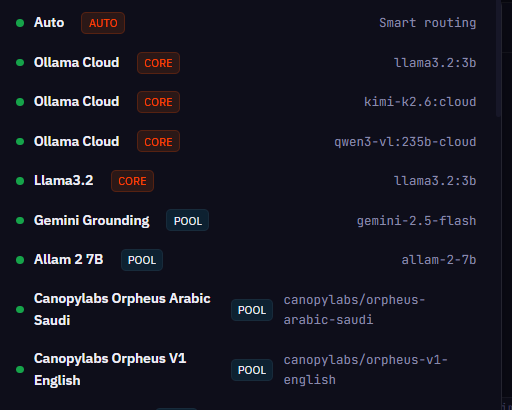
Before anything runs, every model you have connected gets ranked on what it can do, whether it is healthy right now, how close it is to a rate limit, and how fast it has been answering.
Mechanism
Health is not inferred from the last failed call. A background prober
(karma/health_probe.py) polls every backend independently with its own
failure and recovery thresholds, and fires status-change callbacks into the alert
manager. Rate-limit headroom is scored on a rolling 50-call window —
each 429 costs 0.15, each clean call recovers 0.05 — so a provider
that just throttled you is de-prioritised for a while, then earns its way back
instead of being blacklisted.
capability · health · limits · latency
02
Karma — it remembers
Every call is scored on how it actually turned out, and those scores decide who gets the next similar job. A model that botched this kind of work before gets passed over. Most routers pick on what a model claims it can do; this one picks on what it has already done here.
Mechanism
Karma is not a log file — it is a closed feedback loop. Every model carries a dense
8-dimensional capability vector (code_generation, tool_calling, reasoning, vision,
long_context, speed, general, overall) rebuilt from real outcomes. A new task is embedded
and matched by cosine similarity to the model whose measured history sits closest to it —
semantic matching against evidence, not a lookup table. Sampler settings are tuned per
(task_type, model, backend) by epsilon-greedy exploration, so the system keeps
testing alternatives instead of locking onto a local optimum. And Karma keys on the
model, not the slot — reassign a model to a different backend slot and its earned
record follows it rather than resetting.
outcomes scored · fed back into routing
03
Trimurti — three reviewers, opposing jobs
Before risky work runs, three reviewers look at it at the same time: one argues for building it, one for protecting what already works, one for tearing it down. They advise — they never decide; the orchestrator makes the call. Three independent reads catch what a single pass misses, and they run on a small model rather than your best one — so the check costs a fraction of the work it protects.
Mechanism
A deliberation engine, not a prompt with three personalities.
The three reviewers are named for what they are each responsible for asking:
Bodha (“awakening”) argues for what should be created —
Dharma (“what upholds”) argues for what must not break —
Tapas (“burning away”) argues for what should be removed.
Each is a separate model call with its own prompt, and they execute
concurrently on a thread pool, so three opposed readings cost roughly what one costs
in wall time. The council is model-agnostic by design, so this check can run on a cheap 2B
model while your expensive one does the actual work. It never mutates state: it returns
structured advice and the orchestrator is the single synthesis point.
The part worth noticing: it learns to skip itself. A “virtual council” replays
stored deliberations when a new goal is ≥0.95 cosine-similar to a past one with
≥5 supporting records at ≥0.85 average confidence — reaching a verdict with
zero model calls. An episodic LRU cache (128 entries) evicts any learned pattern whose
success rate falls under 0.75, so a shortcut that stops working stops being taken.
parallel review · advisory only · caches its own verdicts
04
None of this is a prompt in a config file
In most tools, an “agent” is a block of instructions in a YAML file and a framework that passes it to a model. Agent Forge has nineteen of those — but they are templates, not the roster. At dispatch the orchestrator builds a specific worker from them for one subtask, and if none of the nineteen fits the job, it writes a new specialist, checks it, and loads it while the turn is still running.
What is actually underneath
Six subsystems, each owning one job and none of them a prompt:
the orchestrator owns the turn and is the only thing that decides;
the tool dispatcher runs the execute-and-check loop and enforces the stop conditions;
the router picks the backend; Karma scores what happened;
Trimurti deliberates; and Ṛta sets the strategy. The nineteen YAML
entries are role definitions these draw from, not the set of things that can run.
The orchestrator does not paste a role into a prompt. It instantiates workers —
each with its own runtime id, bound to one subtask, typed for the dispatcher
(reasoning, code, data), given its own tools and its own backend selection, and
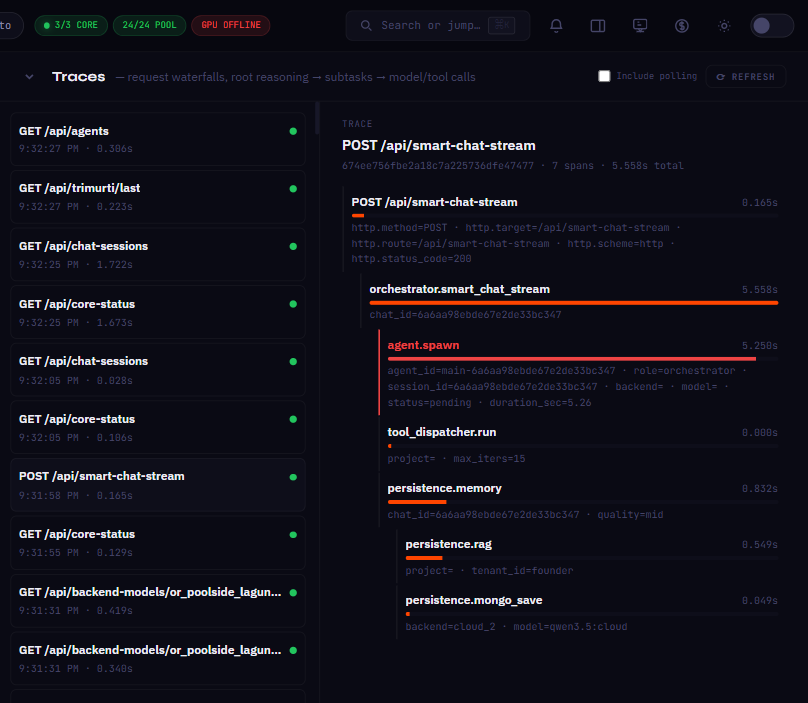
registered in a live agent pool that tracks its lifecycle and emits its spans.
Several run at once, against different models.
Most of those workers are generic specialists matched to the subtask rather than
one of the nineteen by name. The named identities are wired to specific operations —
planner to project planning, code_writer to file generation,
code_editor to edits, tester to test runs — and the council can also
request one by name.
If no definition fits, the Auto-Agent Pipeline writes a new one: generates the
spec, checks it for integrity, for overlap against every existing agent, and for
whether it fills a real gap — then hot-loads it mid-turn and persists it to
MongoDB, deliberately separate from the YAML. The roster grows at runtime.
Underneath all of it sits the Ṛta engine — ṛta is the Vedic word for the order
that holds things in motion, and it is the part that decides how a turn should run
before anything is asked of a model: direct answer, council, decomposition, or swarm. It
also tracks each backend through a lifecycle (newborn → healthy → degrading → dead → reborn)
and filters out the dead ones before scoring the rest. It makes zero model calls
doing any of this — deterministic Python, state machines and arithmetic. The layer deciding
how much model non-determinism you are exposed to does not itself depend on a model behaving.
engines, not prompts · roster grows at runtime